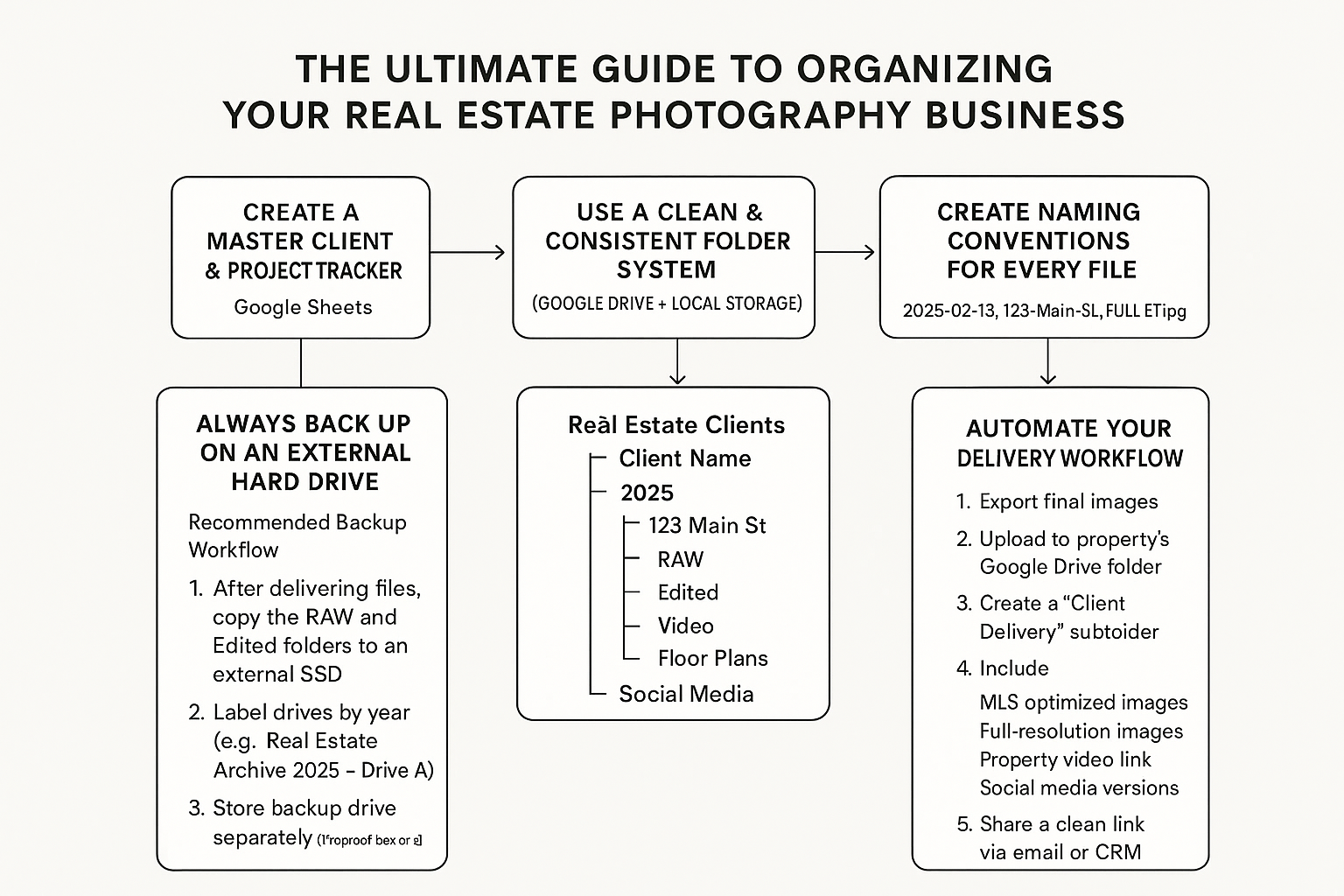
The Ultimate Guide to Organizing Your Real Estate Photography Business
If you’re shooting dozens of listings each month, you already know the hard part isn’t the photography — it’s staying organized. Between client details, shoot schedules, file delivery, invoices, and long-term storage, chaos can creep in quickly. A clean digital workflow not only saves you hours every week but also makes you look more professional to agents and brokerages. Below is a complete system you can easily implement today.
✅1. Create a Master Client & Project Tracker (Google Sheets)
Google Sheets is the fastest way to keep all client information centralized and accessible across devices.
Your sheet should include columns such as:
Client/Agent Name
Brokerage
Property Address
Shoot Date
Package Type (Photos, Drone, Floor Plan, Video)
Deliverables Due Date
Status (Scheduled, Editing, Delivered, Paid)
Invoice Link
Drive Folder Link
Notes
Why Google Sheets Works Well:
Cloud-based (access from phone, laptop, iPad on shoots)
Easy to share with assistants or editors
Can be filtered by client, date, or status
Becomes your single source of truth for your entire business
Pro Tip: Freeze the top row and use color coding to highlight shoots in progress, overdue projects, or unpaid invoices.
📁2. Use a Clean & Consistent Folder System (Google Drive + Local Storage)
A well-structured folder system prevents files from going missing and keeps your workflow fast.
Suggested Folder Structure:
Real Estate Clients
   └── Client Name
        ├── 2025
        │     ├── 123 Main St
        │     │      ├── RAW
        │     │      ├── Edited
        │     │      ├── Video
        │     │      ├── Floor Plans
        │     │      └── Social Media
Why this structure works:
Every listing has a dedicated home
Easy to locate files years later
Simplifies collaboration with editors
Keeps RAW, JPEG, and video files separated
Use Google Drive for:
Client-facing deliverables (final edited images)
Project collaboration with editors
Easy sharing with agents
Use Local Computer Storage for:
Active editing sessions
Lightroom catalogs
🖥️3. Always Back Up on an External Hard Drive
Real estate shoots pile up FAST — you need a long-term, offline backup for safety.
Recommended Backup Workflow:
After delivering files, copy the RAW and Edited folders to an external SSD.
Label drives by year (e.g., Real Estate Archive 2025 – Drive A).
Use at least two drives if possible (primary + duplicate).
Store the backup drive separately (fireproof box or office drawer).
Why it matters:
You never want to tell a client, “I lost the files.” A simple backup system guarantees you won’t.
🗃️4. Create Naming Conventions for Every File
Naming consistency keeps everything organized across platforms.
Example:
2025-02-13_123-Main-St_FULL-SET.jpg
2025-02-13_123-Main-St_RAW_001.CR2
2025-02-13_123-Main-St_Drone-01.JPG
Tips:
Always start with the date for chronological sorting
Use address-based naming for real estate
Use underscores or dashes consistently
Keep it short but descriptive
📨5. Automate Your Delivery Workflow
A consistent delivery method saves time and boosts the client experience.
Your delivery workflow could look like this:
Export final images
Upload to the property’s Google Drive folder
Create a “Client Delivery” subfolder
Include:
MLS-optimized images
Full-resolution images
Property video link
Social media versions
Share a clean link via email or CRM
Bonus: Create a reusable email template for fast delivery.
📚6. Create a Digital Binder for Each Client
Beyond files, agents love professionalism.
A digital binder can include:
Completed shoots
Invoices
Project notes
Branding resources (your logo, your delivery standards)
You can create this in Google Docs, saving it in the client's main folder.
🚧7. Build a Consistent Weekly Maintenance Routine
To avoid digital clutter, schedule a simple weekly 10-minute reset:
Archive completed projects
Mark delivered projects in Google Sheets
Clean up RAW files on your computer
Sync backups to your external hard drive
Update income/paid status
This tiny habit prevents massive headaches later.
Conclusion: A Clean System Helps You Scale
Real estate photography moves fast. With the right organizational system — Google Sheets, Drive, structured folders, and external backups — you’ll stay ahead of your workload while giving clients a smooth, luxury-level experience.